

Your shopping cart is empty
Getting Started, Help Center
How to install a presets pack?
Motion Bro is a tool for browsing and applying ready-to-use presets, but it does not include any built-in preset packs by default. Preset packages need to be installed separately.
Contents
Installing a preset package with a license key
Once you have received a license key for a free or paid pack for Motion Bro, follow these steps:
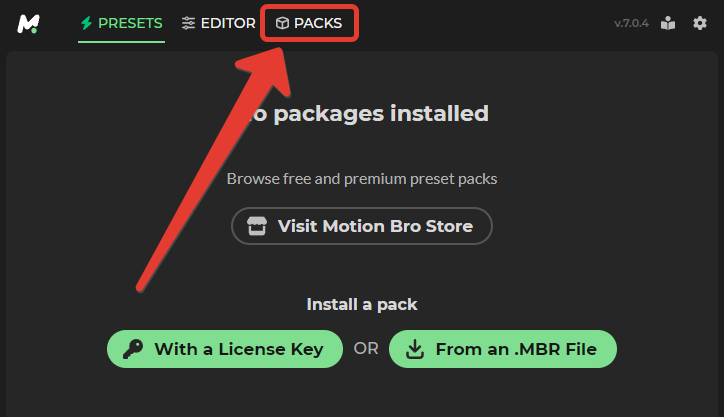
- Go to the “PACKS” section.
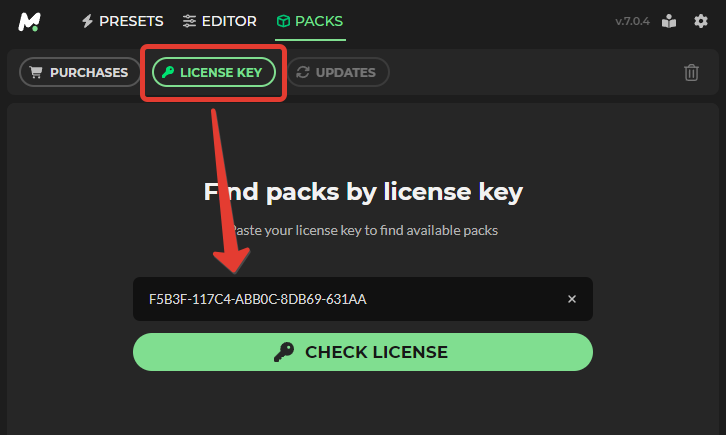
- In the “License Key” tab, paste the license key into the field and click the “Check License” button.

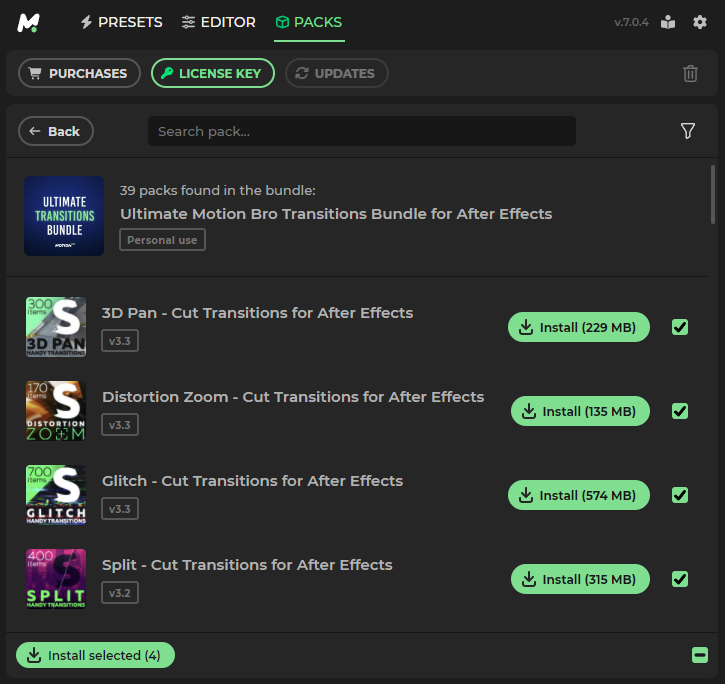
- Install the preset packages found by the license key.

Legacy installation method (manual)
In Motion Bro versions earlier than 6.0.0, you can install the preset package using the legacy method, from an MBR file.
- Drag and drop your existing Motion Bro preset packages (.MBR) into the installation window.
After installation, you may need to activate the preset package. To activate, use the license key that was sent to your email after purchasing the preset package. For more information, visit the page: https://motionbro.com/help/where-to-find-a-purchase-code/. Paste the license key into the activation window and click “Check Code”.


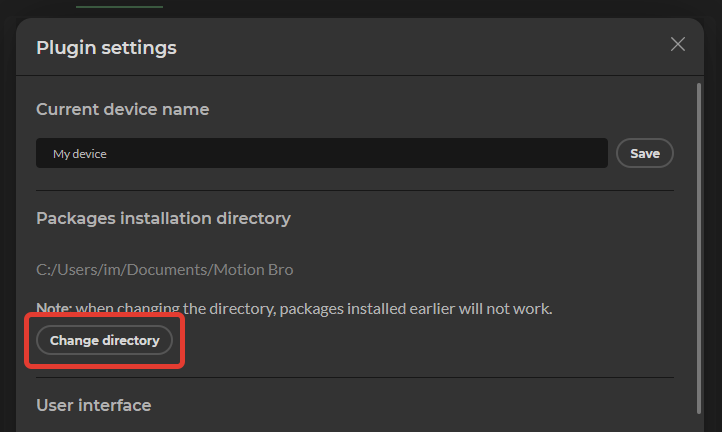
Changing the packages installation directory
To change the default directory where installed packages are stored, follow these steps:
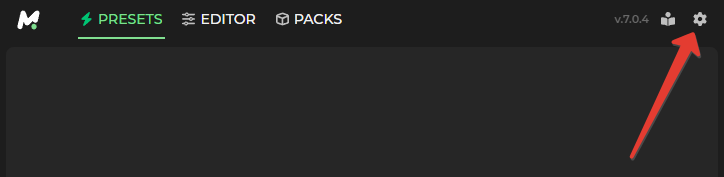
- In the top right corner of the plugin, click on the settings icon

- In tje plugin settings Click the ‘Change Directory’ and select the directory where the packages will be installed


 Products
 Transitions
 Tools
Tools Sound Effects
 Community Items
 Plugin
 Help Center
 Getting Started
 Using in After Effects
 Using in Premiere Pro
 Video Tutorials
 Troubleshooting
 Blog
Blog Updates
ovpafBokUwypmTAAGWmGw
I updated. I see the last version had a “Legacy installation method” and now, no more.
Now, how can I install my custom package that I created? Since I have no “mbr file manual installation” now.
Where should I put the license code for the free pack from this one (https://videolancer.gumroad.com/l/prpack). i downloaded the latest plug-in and there’s no popup appearing to put the code
Hi. I installed Motion Bro from your website. Than I installed few free presets. But some of them don’t work. They are displayed in the list of presets in the Motion Bro panel, but when I select 2 layers and click “apply” – a new layer with the preset appears on the timeline, but when I play the animation I see that it is not applied, because there is no transition effect. It did not work. How to fix this?
how can i unistall this new extension
Подскажите, пожалуйста, откуда в загрузках берётся Handy Seamless…? где его скачать? Я установила БРО через установщика ZXP
Покупали ли вы этот пакет пресетов? https://motionbro.com/products/videolancers-transitions-for-after-effects/
Hi, I just downloaded plugin v4.5.1 via https://motionbro.com/downloads/plugin/Motion_Bro_4.5.1.zip (found on https://motionbro.com/help/how-to-install-the-motion-bro-plugin/).
Unfortunately, just like all the people above, there are no .mbr files to be found in the folder. How can I solve this issue?
Kind regards
Hello, it looks like you only downloaded the plugin. Now you need to install the preset packs (MBR), which you can find in any of these products: https://motionbro.com/products/
Hi, I was puzzling over this question myself, it turns out that when downloading we already download the mbr file and don’t need to unzip it. Be more careful.
where can i find paper transition for after effect i cant find it on the folder??
where can i find paper transition for after effect i cant find it on the folder
I got the Motion Bro Bundle for Premiere Pro – 5000 Transitions, do I have to install them as mbr files one by one? Please tell me how to install all the files.
Hello,
So far, unfortunately, there is no batch process for installing all packages, but I will think about how to add this in future updates.
Добрый день!
Нет файла в .MBR, ранее стоял MotionBro 3, все работало нормально, как это исправить?
-я покупал данный товар, а теперь не могу его использовать
Здравствуйте, скачайте пакет пресетов повторно с того сайта и аккаунта где была совершена покупка.
Здравствуйте, я скачала его, но у меня нет файла mbr.. как установить?
Здравствуйте, пожалуйста поделитесь ссылкой на продукт о котором идёт речь.
Hi, I don´t have the .mbr file for the motion bro 4 free preset download here:
https://videolancer.gumroad.com/l/prpack?
Can you help me?
Many thanks!
I downloaded it but don’t have the mbr file..
Hello, could you share a direct link to the product (pack of presets) you are talking about?
No MBR file in it.
cant find the ,mbr file extension so unable to use it
Hello, could you share a direct link to the product (pack of presets) you are talking about?
There is no MBR file to use with the free version for Premiere? I did installed it with the Adobe Creative Cloud, but when I need the MBR file pack, where is it?
Could you share a direct link to the product (pack of presets) you are talking about?
Hi, i can´t find the MBR file 🙁
Hi, could you share a link to the presets package in question?
Can’t get Packs. TypeError: e.includes is not a function
how can i solve it
why I keep getting this!!!!
What plugin version are you using? 4.0 or higher? In version 4.0.3 we fixed a possible issue.
4.0 how can i download 4.0.3 ?
i download the 4.0 and there is no 4.0.3 in adope creative cloud where can i find that version.
You can download it here: https://motionbro.com/help/how-to-install-the-motion-bro-plugin-without-creative-cloud-desktop/.
So far, we haven’t uploaded it to Creative Cloud because we are preparing an update with some improvements.
I downloaded it but don’t have the mbr file..
Could you share a direct link to the product (pack of presets) you have?
https://videohive.net/item/handy-seamless-transitions-pack-script/18967340
How long ago did you download the preset pack? New preset packs became available this morning.
Me too, I downloaded it from VideoHive, what do I do now?
How long ago did you download the preset pack? New preset packs became available this morning.