

Your shopping cart is empty
Getting Started, Help Center
Where to find a license key?
Contents
Check your email
Immediately after the purchase, the license key will be sent to your email. Copy it and paste it into the product activation popup

If for some reason you can’t find the email with the purchase code, you can find the purchase code in your account (from which the purchase was made) on Gumroad or Videohive.
Purchase code for products from Gumroad
- Log in to your gumroad.com account from which the purchase was made.
- On the library page, click on the product you want to activate in the Motion Bro plugin.

- On the product content page, find the “License key” section.


Purchase code for products from Videohive
- Log in to your videohive.net account from which the purchase was made.
- Go to download section.

- Click the “Download” button on the purchased product and select “License certificate & purchase code.”

- In the downloaded file, you will find your purchase code.


 Products
 Transitions
 Tools
Tools Sound Effects
 Community Items
 Plugin
 Help Center
 Getting Started
 Using in After Effects
 Using in Premiere Pro
 Video Tutorials
 Troubleshooting
 Blog
Blog Updates
como borrar licencia de activacion de ae face tool de mi pc
Hello. It says “Could nto complete verification process” when I enter the code for Stretch Transition. Thanks
hello, I purchased the glitch transition preset for After Effects from Envato Market. I was able to install it, but upon installation I was prompted with a key code. I found the code through my purchase information with Envato, I inputted the code with the (-) between the letters and codes, but I received an error stating “purchase code was not found on Envato.” Any help would greatly be appreciated.
Hello, I bought the Seamless Transitions – Starter Pack for After Effects for $3 from GUMROAD. When I entered the attached license key, I got the error “Could not complete verification process.” I confirmed code again and again, remove motion bro plugin and install again, but the error seems same. How I can solve this problem?
Hello, please check if your antivirus or firewall is blocking the plugin’s access to the Internet.
구매코드를 어디에서 찾습니까?
butifl
licince kye
I cannot find my licence key? please help
https://motionbro.com/products/free-motion-bro-presets-for-after-effects/
Hello, it seems that the resources on the provided link are no longer free. It appears that a paid purchase is required, as you need to input a code to access them. Could you please confirm this?
Hello, just choose the $0+ option.
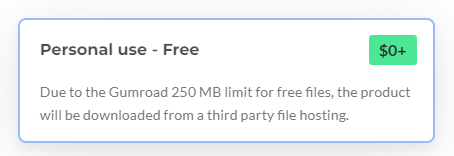
Hi. I download free pack Basic transition for premier pro and licensce key not working “Purchase code was not found on Gumroad.” Can you help me witch this ? By the way i choose Stretch – Transitions for Premiere Pro but when i click “download link” The name is changing to Basic transition for premier pro. Mayby this is the problem?
Hello, thanks for noticing this problem. Indeed, another product was added by mistake. This has now been fixed. Please refresh the product page and try downloading again.
HI MOTION BRO MY PURCH CODE DOES NOT found
Hi, could you share a direct link to the product (pack of presets) you are talking about?
I purchased the Motion Bro Sound FX Pack for commercial use. But the license key didn’t come. Only the receipt arrived. Please send me an email.
Hello, this product does not require a purchase code.
need with plug for free
For free products that you received on Gamroad, when the license key is also sent to your email: https://motionbro.com/help/where-to-find-a-purchase-code/#purchase-code-for-products-from-gumroad
I can’t confirm the code, even though I did everything as requested, and it still says “Purchase code was not found on Envato”.
I am trying to find my activation code to update my After Effects Presets for Motion Bro (5). The email I have allows me to see the invoice but it is not showing my code. Is there someplace else I can go to find it? Thanks, in advance.
Could you share a direct link to the product (pack of presets) you are talking about?
i download Advanced Premiere Pro Package Activation from gumroad so now i need a purchase code for the package. please give me a purchase code
i download Advanced Premiere Pro Package Activation from gumroad so now i need a purchase code for the package
Installed a preset pack for commercial use. Got license key in email. But license key was not asked
Ok, I applied the license key.
when i download Advanced Premiere Pro from gumroad so only one file is downloading and that is .mbr file.there is not key but when i install on plugin it ask for key so how can i find?
Please check the email you provided when purchasing.
reinstalled windows the license key is not appearing in my mail only two sections invoice and download it was there last time now its not even if I buy it again on gumroad (free preset) it doesn’t send me the key
The free package you mentioned does not require a purchase code. If you are using an older version for Motion Bro 3, you can find the purchase code in a text file inside the ZIP file.